

I have posted a bit in this thread too:
cic constantly reboots after nav update
Just thought I would also post in the M3 forum as to not totally thread jack...
So yeah, the 2023 map update did not complete properly - first time this has been an issue for me. Car took a long time to prompt to update the maps and like an idiot, I still said yes. Seemed to be loading fine but it did not continue loading after shutting off my car and the "Starting Navigation" was showing on the screen for a while.
So, I reset the CIC (pressed the power button for 30 seconds) and it booted back up but within a second or two of booting, the Navigation menu item turns to greyed out. Also, it says "Function not available" if I press the NAV button on the centre controller.
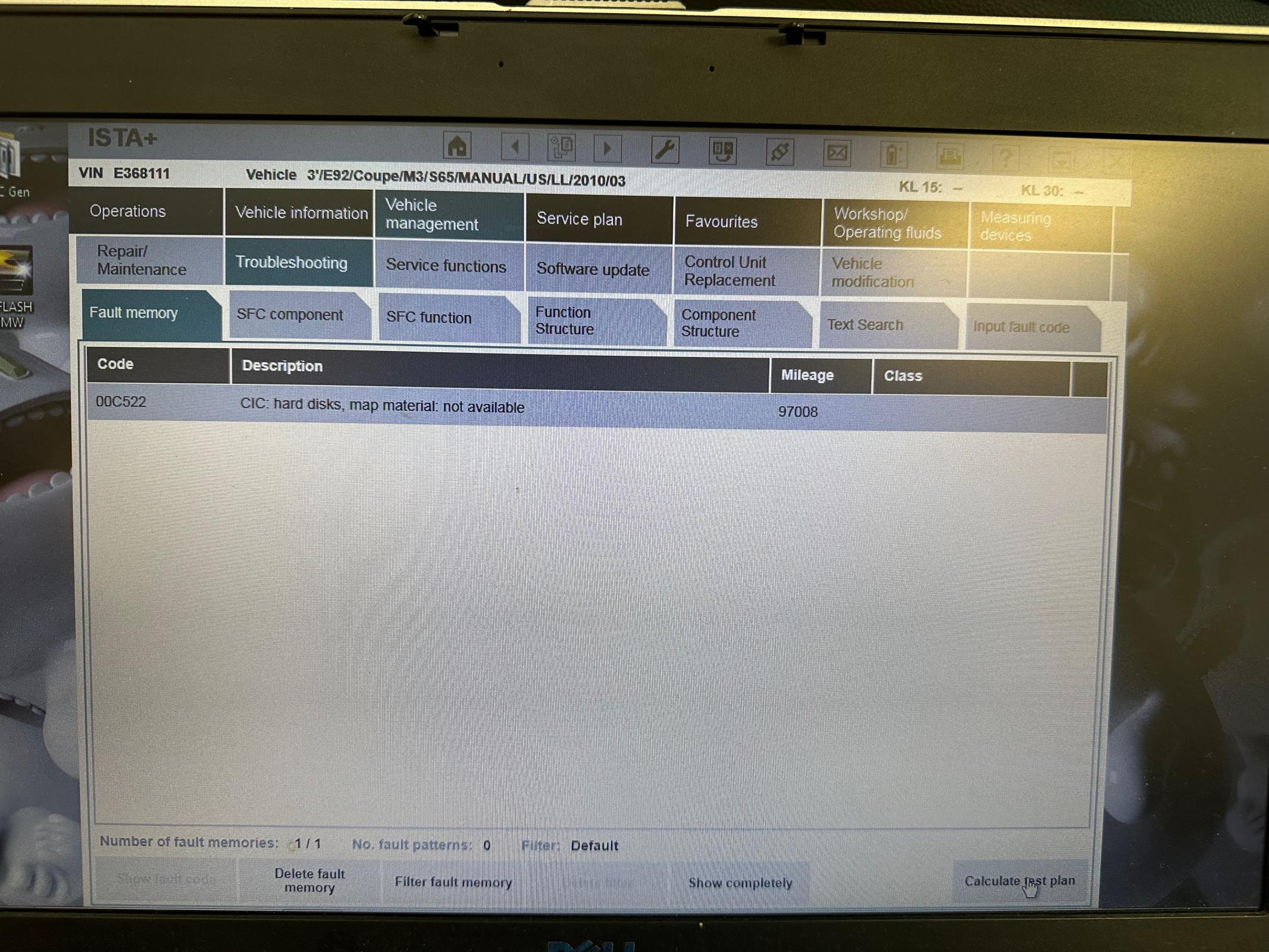
I did some reading and one member suggested that using Tool 32 can remove all the bad map files. I did so and got an OKAY status from the Tool 32 command. Also, my CIC is showing as "CIC Hard Disk, Map Material Not Available" so this seems like confirmation that the maps are gone.
Problem is - the Navigation menu item is still greyed out. I am not sure what I need to do to get the maps back. Did the Tool 32 remove my FSC code? Is there some process I need to follow to get the Maos to load onto a blank system?
Anyway, thanks ever so much for any help that I can get.
Cheers,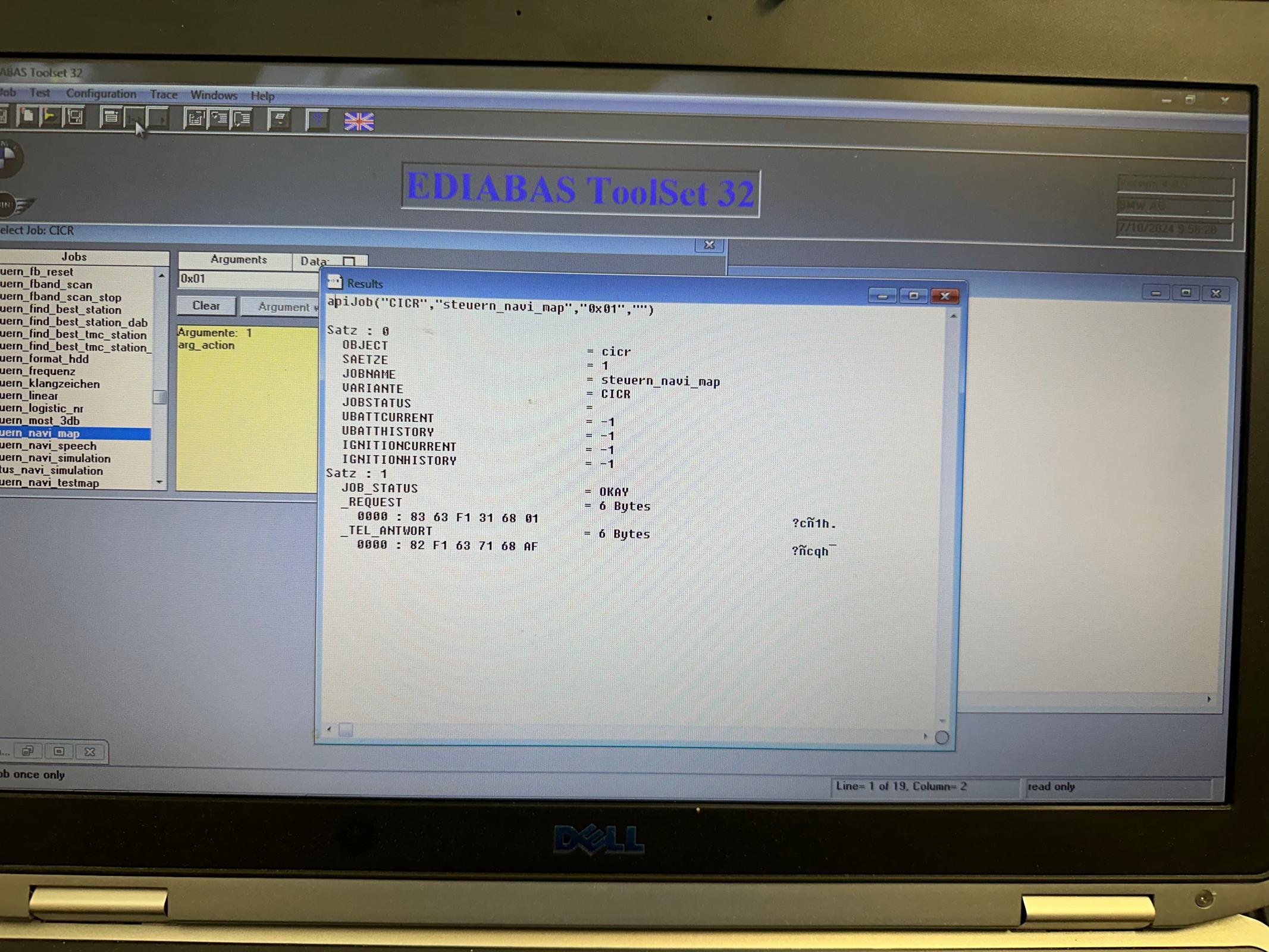
cic constantly reboots after nav update
Just thought I would also post in the M3 forum as to not totally thread jack...
So yeah, the 2023 map update did not complete properly - first time this has been an issue for me. Car took a long time to prompt to update the maps and like an idiot, I still said yes. Seemed to be loading fine but it did not continue loading after shutting off my car and the "Starting Navigation" was showing on the screen for a while.
So, I reset the CIC (pressed the power button for 30 seconds) and it booted back up but within a second or two of booting, the Navigation menu item turns to greyed out. Also, it says "Function not available" if I press the NAV button on the centre controller.
I did some reading and one member suggested that using Tool 32 can remove all the bad map files. I did so and got an OKAY status from the Tool 32 command. Also, my CIC is showing as "CIC Hard Disk, Map Material Not Available" so this seems like confirmation that the maps are gone.
Problem is - the Navigation menu item is still greyed out. I am not sure what I need to do to get the maps back. Did the Tool 32 remove my FSC code? Is there some process I need to follow to get the Maos to load onto a blank system?
Anyway, thanks ever so much for any help that I can get.
Cheers,

