HOW-TO (HARDWARE INSTALL)
Please be warned that upon completion of these steps, you WILL have an error code! The system will warn you of a DSC error and calibration (as well as coding) by Mike Benvo will need to be done to remove the error and enable M-drive. The car is still fully driveable at this point, HOWEVER DSC will remain OFF until calibrated/coded! So no worries about doing this in advance, but don't drive like an idiot until Mike works his magic 
99% of this process is simply following doba's performance steering wheel install DIY, which can be found here:
http://www.m3post.com/forums/showthread.php?t=242963 If you are interested in changing wheels, this is the perfect time to do it.
Otherwise, we are not worried about all the electrical rewiring steps which makes this even easier.
1. Disconnect your battery.
2. Jump to Step 9 in doba's guide ("remove your airbag")
3. Continue following his steps THROUGH Step 14.
--
Now, the careful reader will notice doba's warning in bold: "Make sure not to pull the whole assembly out of the column. Very Important. Unclip all the clips and remove just the Coil spring cartridge and nothing else".
We are going to ignore that warning 
--
4. We have one more clip to undo (note: some things look like clip but do not need to be removed/cannot; if you cannot remove it easily, leave it and make sure it is required). On the bottom of the steering wheel switch column, near where you already undid the small black connector on the right side, you will see another black connector with a grey switch over it.
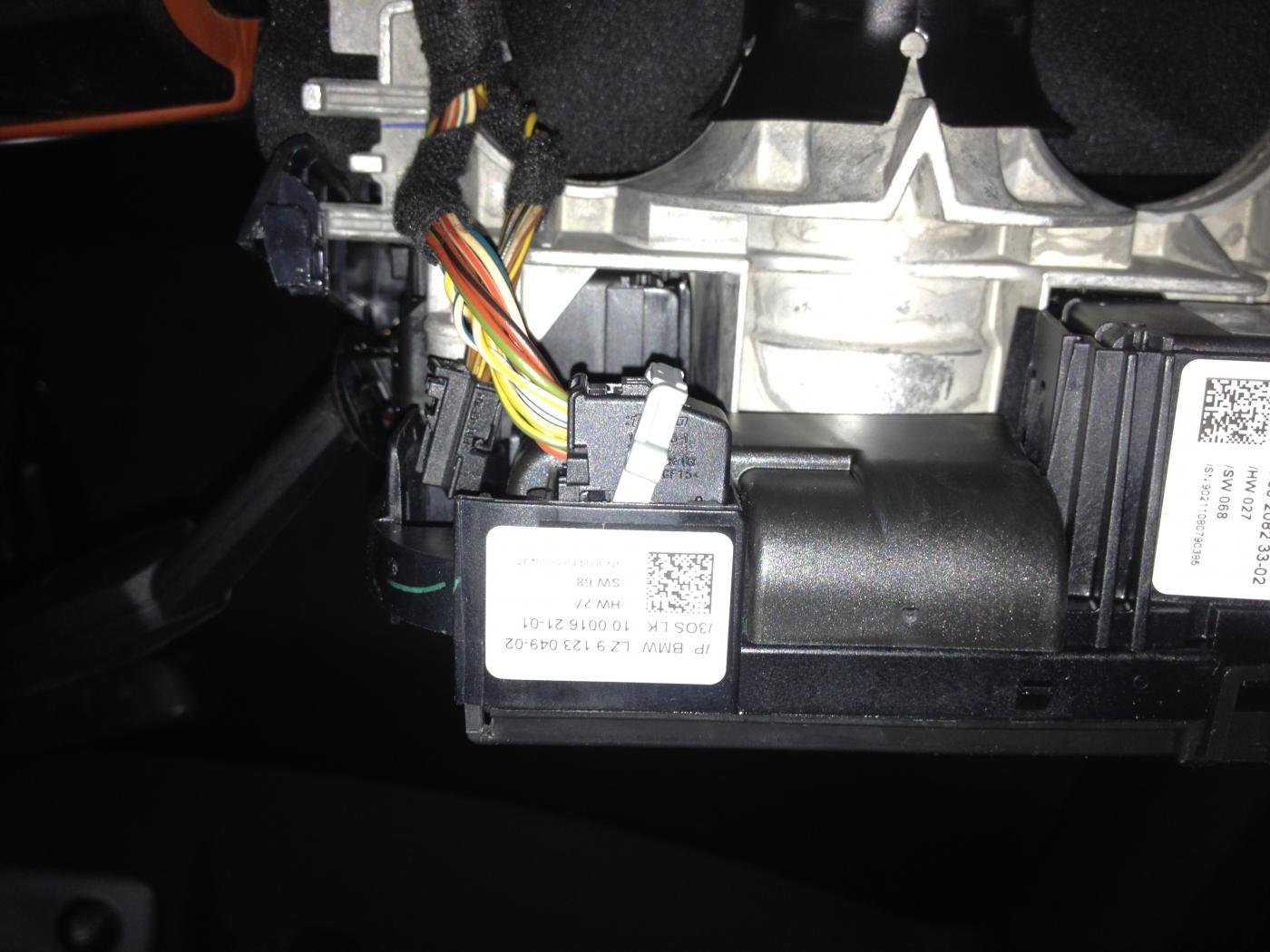
Rotate this grey switch off and you will be able to remove this connector (this is the easiest of them all to remove).
5. Remove the steering wheel switch column.
6. Replace it with your new M-drive enabled unit. Note that it has these two arrows on it that I believe are supposed to line up. I haven't tried NOT lining them up, but I assume it will screw with wheel calibration later. Maybe not, but do it to be safe.
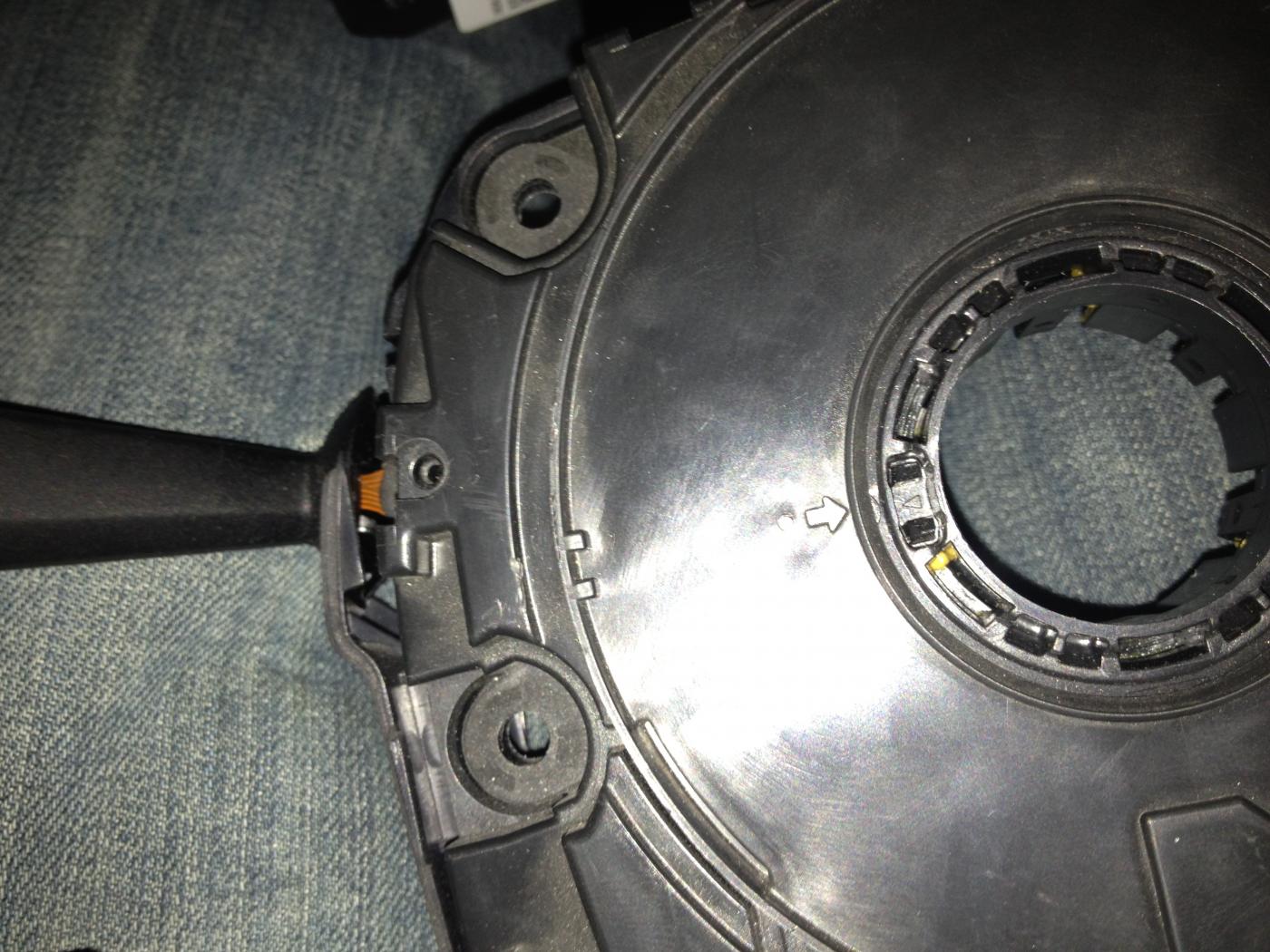
7. Follow all the steps in reverse, making sure not to miss any connectors along the way! I found that putting the airbag back in was easiest by clipping in one side by pushing, and then using the screwdriver on the other side.
That's it!! Now you just need to call up Mike Benvo (hopefully you have already reserved his services prior to starting all of this...

), he will code/calibrate your car and you are ready to rock!